Gänder - Reading App For GenZ
Project overview
Role
Product Designer
Timeline
Jan 2025 - Apr 2025
Skills
Interface Design, Interaction Design, Usability Testing, User Research
Context
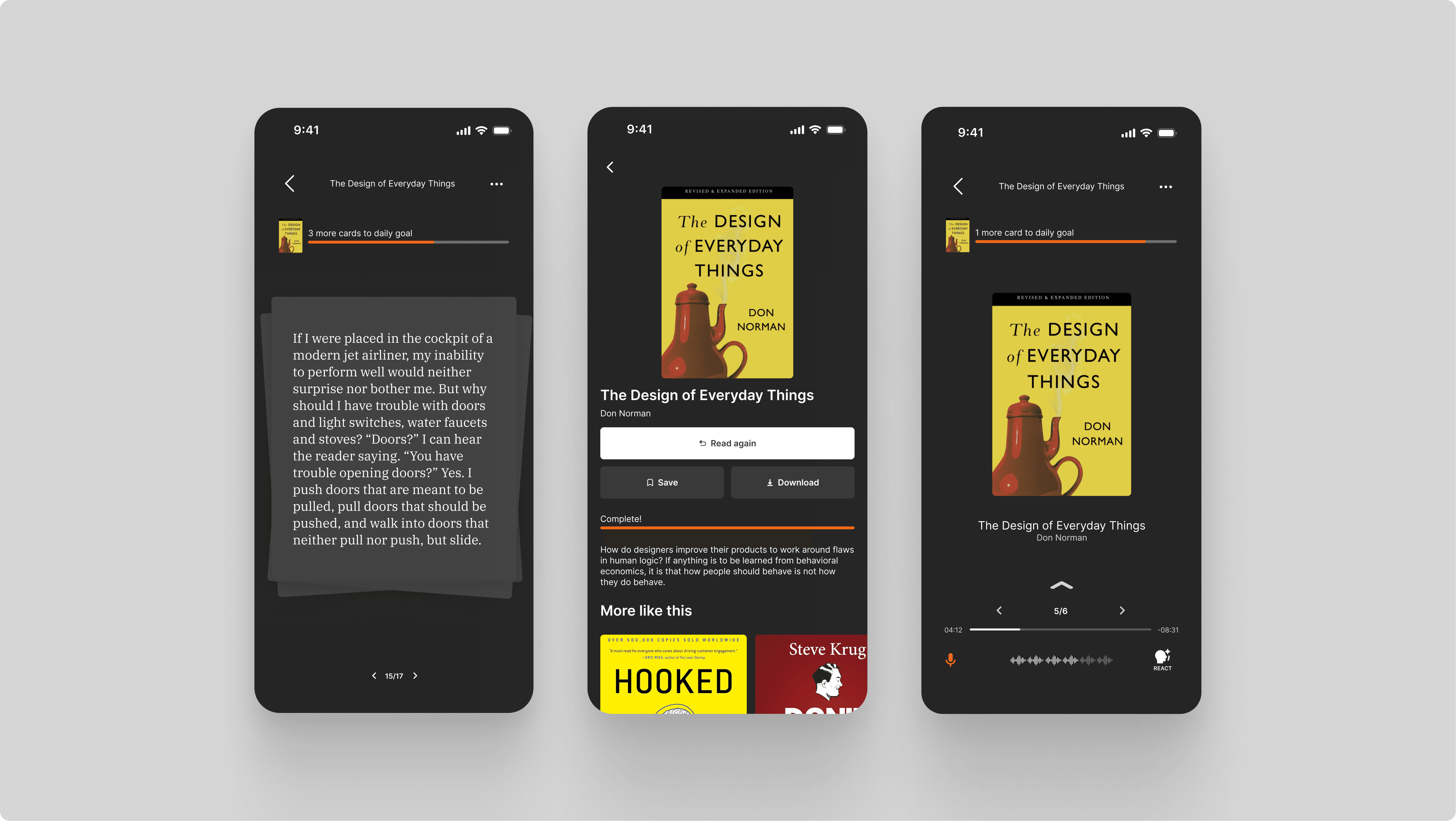
Gänder is a mobile app designed to reignite Gen Z’s passion for reading by breaking books into bite-sized “cards,” setting clear, achievable goals, and rewarding progress with a playful tiered system.
I was personally responsible for the main card-based reading interface and the audiobook, bionic and speed reading features.
The Challenge
How might we motivate GenZ to read?
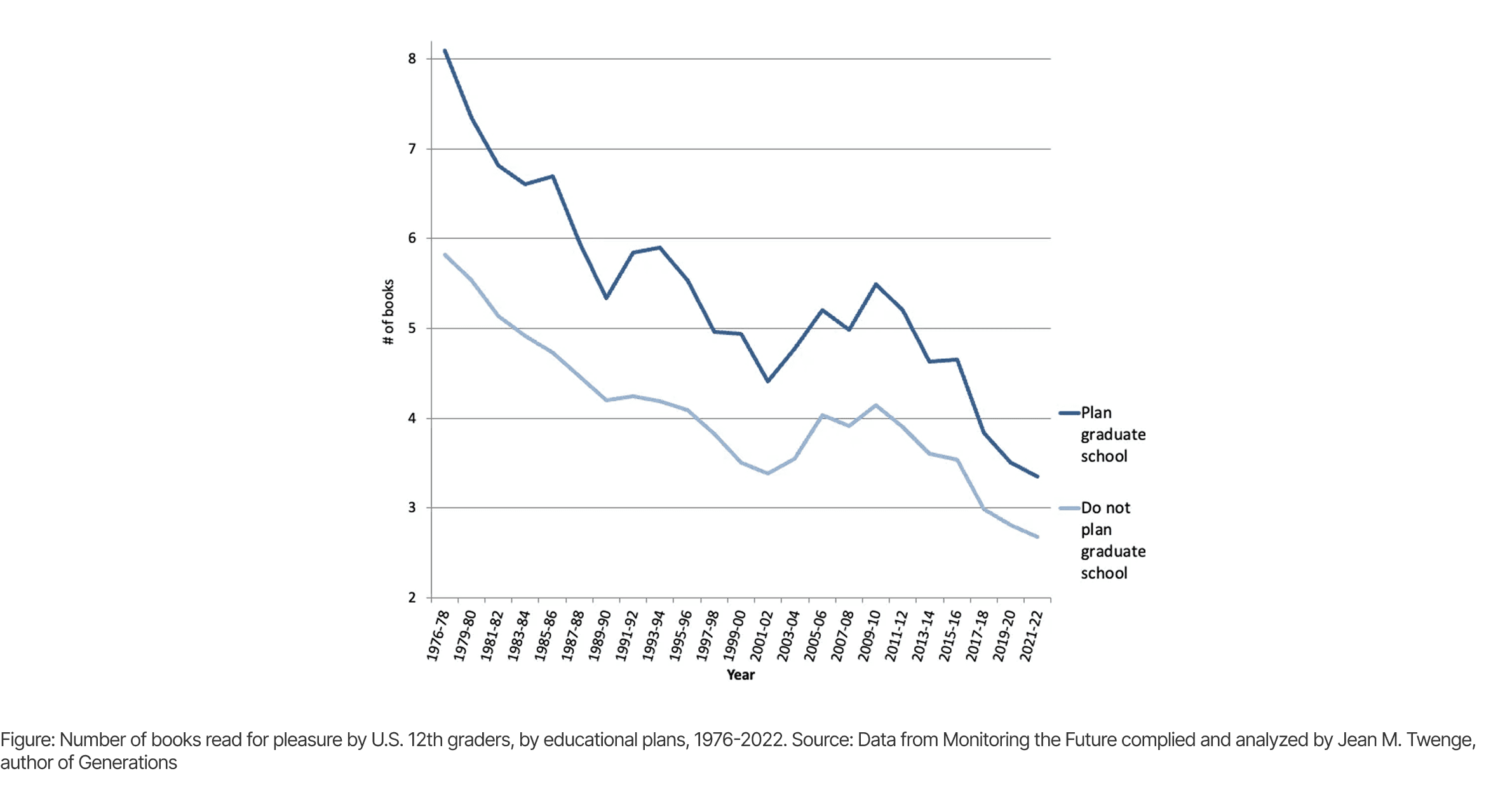
Gänder was designed to address a key problem - Gen Z's declining book reading habits are eroding the development of essential skills like critical thinking, focus, and creativity.
The Solution
Motivators - Card Reading
Our research (see later section) found that Gen-Z often found reading daunting. To combat this, books are divided into manageable chunks called “cards”.
By using Jakob’s Law and taking inspiration from popular short-form social media apps, an upward swipe interaction navigates past a card.
Motivators - Tiers
Users reach new tiers as they complete more books. The tiers correspond to a fish that's fed to the goose mascot. The more you read, the deeper and and more exotic your fish gets!
This gamification further motivates readers to keep reading.
New Experiences - Audiobook, Bionic and Speed Reading
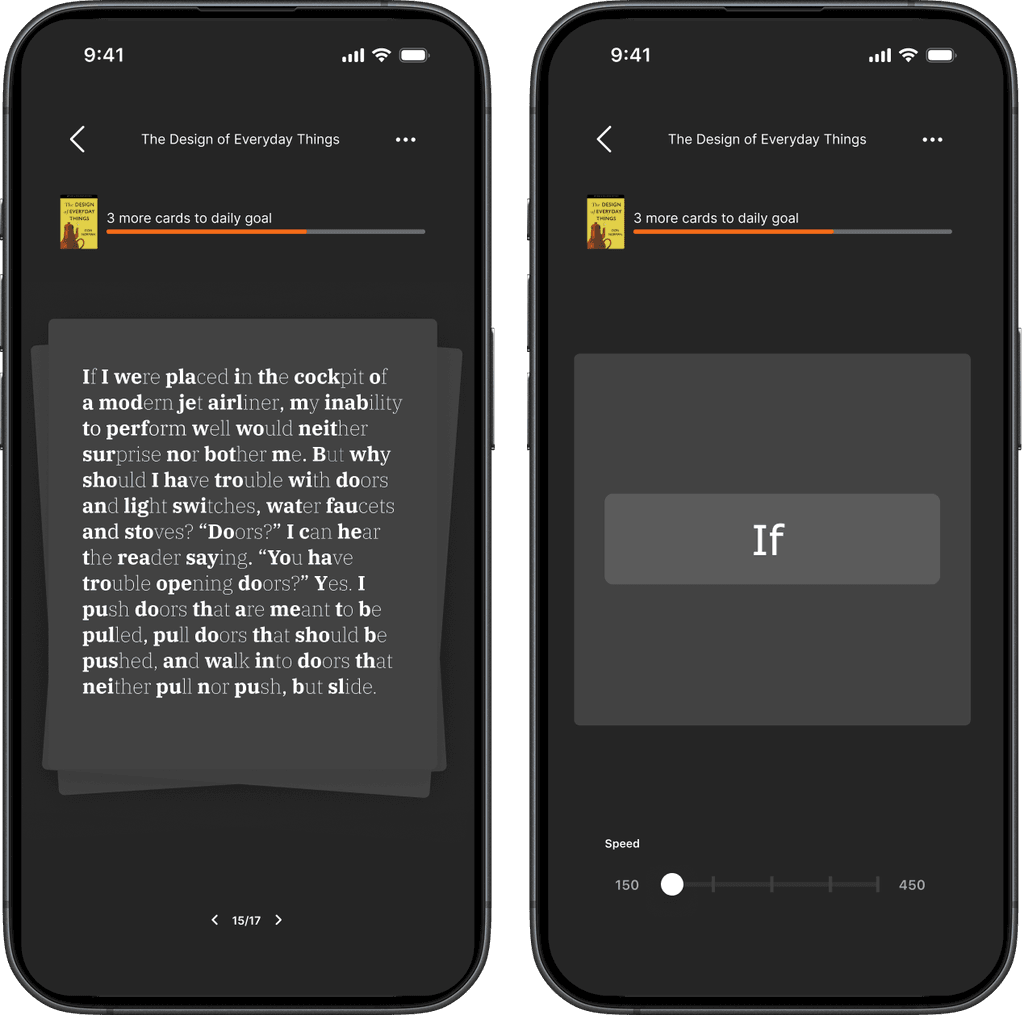
User research also pointed out that GenZ perceived reading as slow. To address this, the audiobook feature allows users to turn any book into an audiobook and play it at a speed of their choice. The audiobook interface also allows users to record short voice notes that embed themselves in the book as an annotation. Bionic reading and speed reading to allow users to read faster and easier.
Scoping The Space
User Journey Map
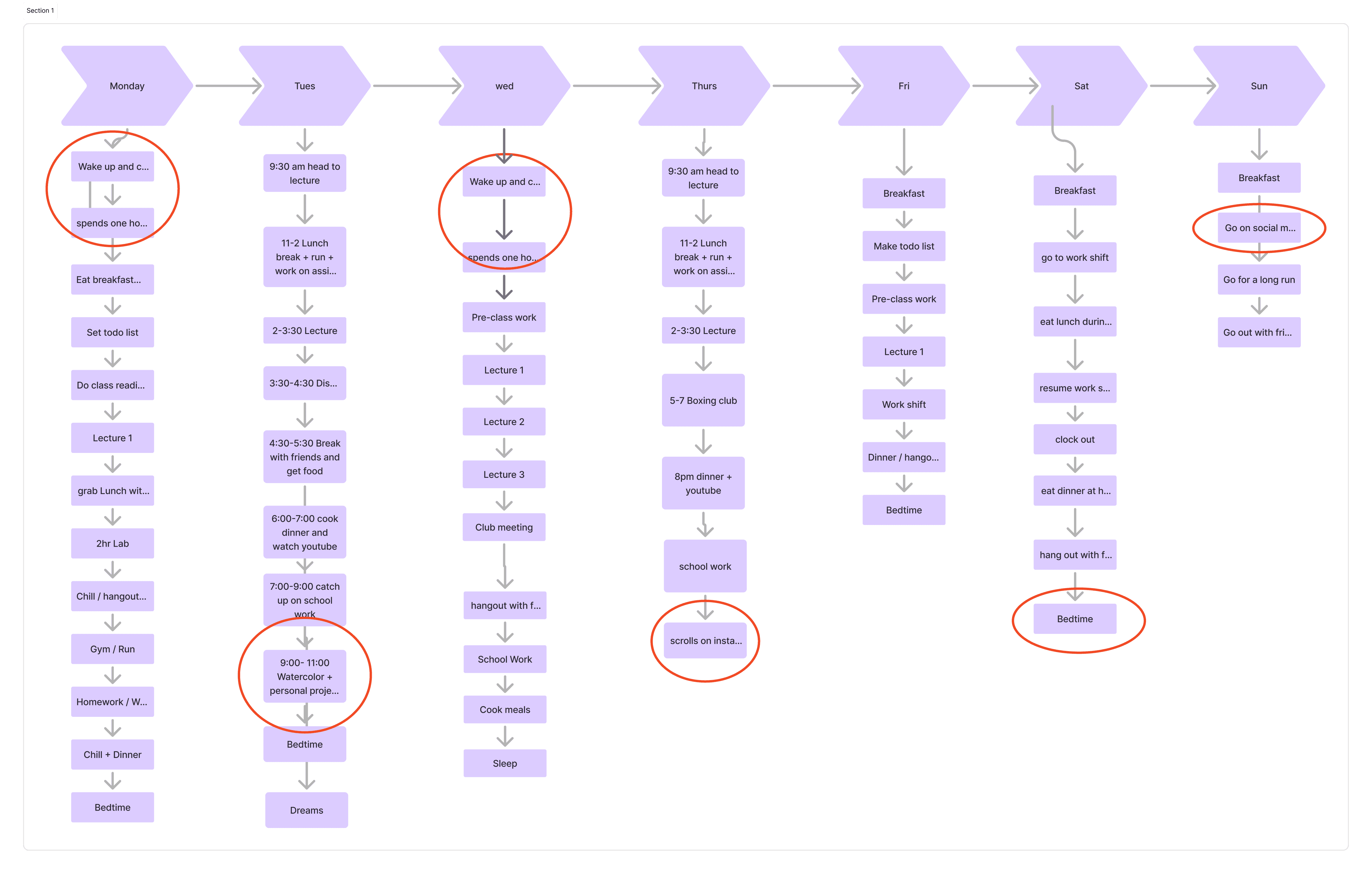
We began tackling the problem by creating a user journey map that outlined a week in an average university student's life. This helped us identify the periods when the students scrolled on social media as a potential area where our solution may be used.
False Consensus Effect
When I added “create to do list for the day” as part of a student’s morning routine, my teammate pointed out that it was actually pretty unrealistic for the average university student to do that as part of their regular schedule. I had made the mistake of thinking that the average user is like me.
Interview
We interviewed students on the UBC campus to further understand out target audience. We took away 3 main findings.
Motivation
University students found it difficult to stay motivated when reading books. This was especially true with non fiction.
Lack of time
The length of most books made students less likely to begin reading due to a perceived lack of time.
Work mindset
While students recognized the value of reading, they did not seem to associate reading with relaxation or fun.
Competitive Analysis
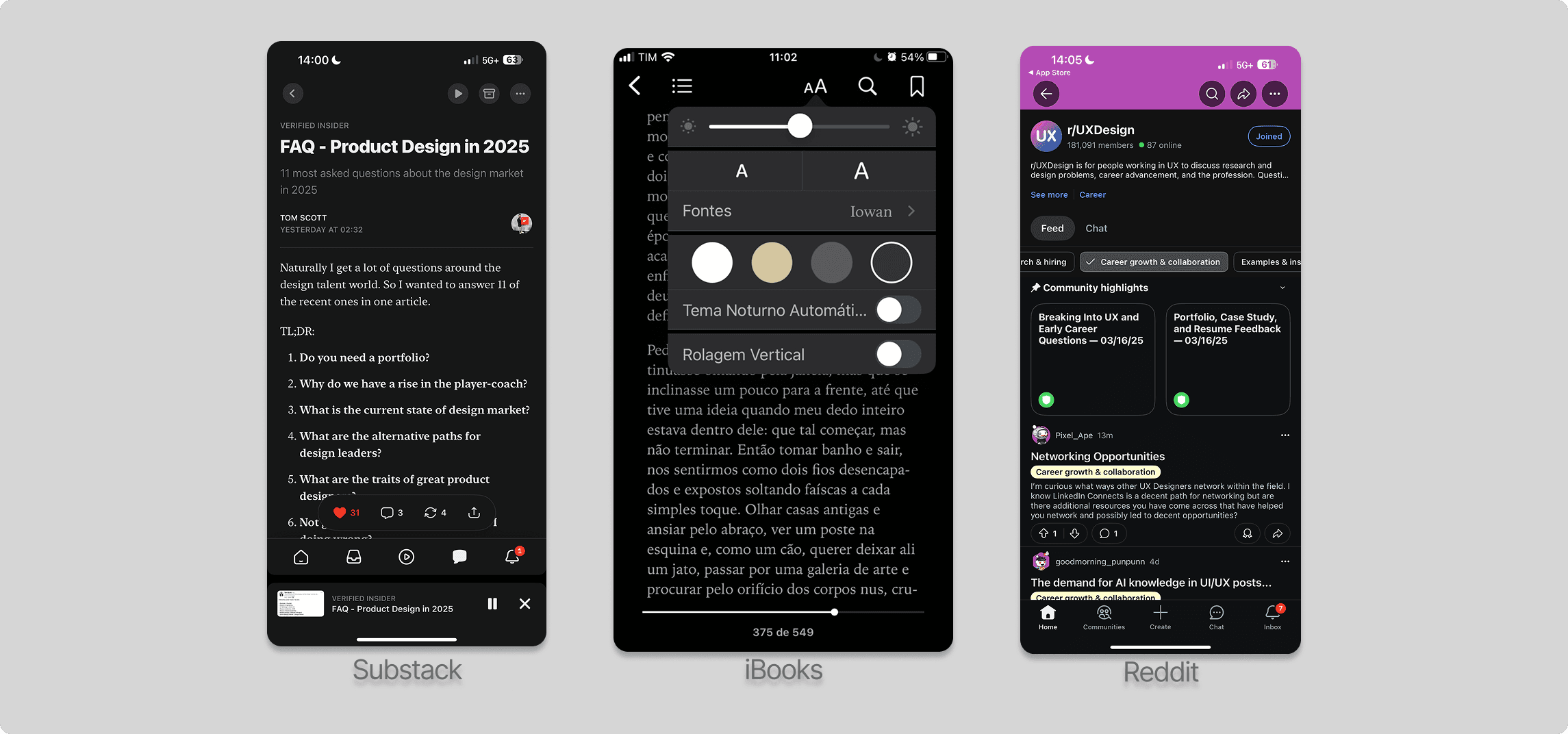
We also conducted an analysis of reading apps on the market to better understand what's currently available.

iBooks had a great reading interface but few features to help motivation

DeepStash had a great book recommendation features but poor motivation features.

Fable had great features to help users socialize over the books they were reading but their interface felt cluttered and didn’t focus on the reading interface.
Ideation and Iteration
User Flow
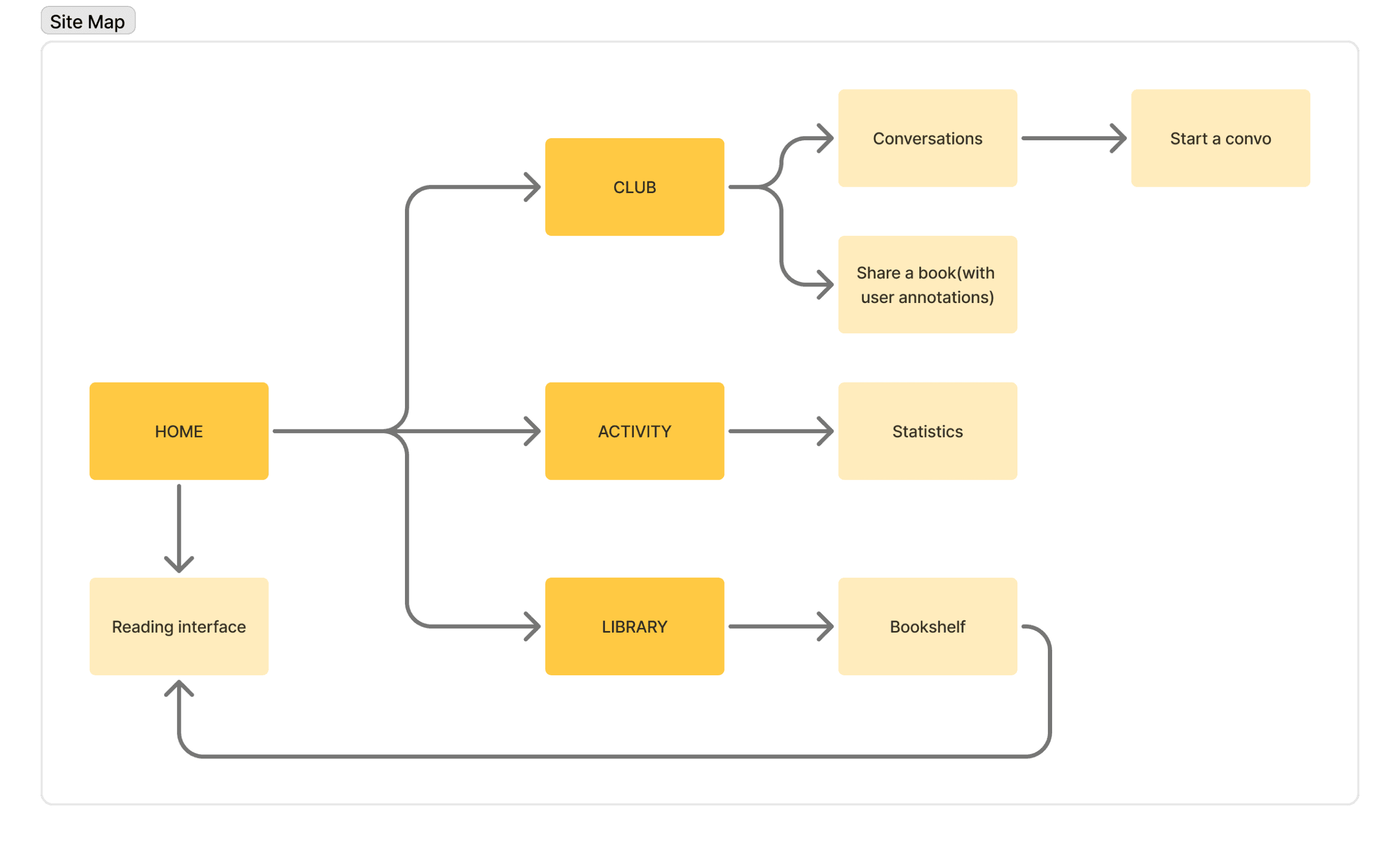
After long sessions of brainstorming on Figjam, we created a detailed user flow to map each screen and navigation path within the app. Although we initially explored social “Club” features, we decided against them and chose instead to concentrate on innovating the reading interface and core motivational mechanics.
The Dashboard Conundrum
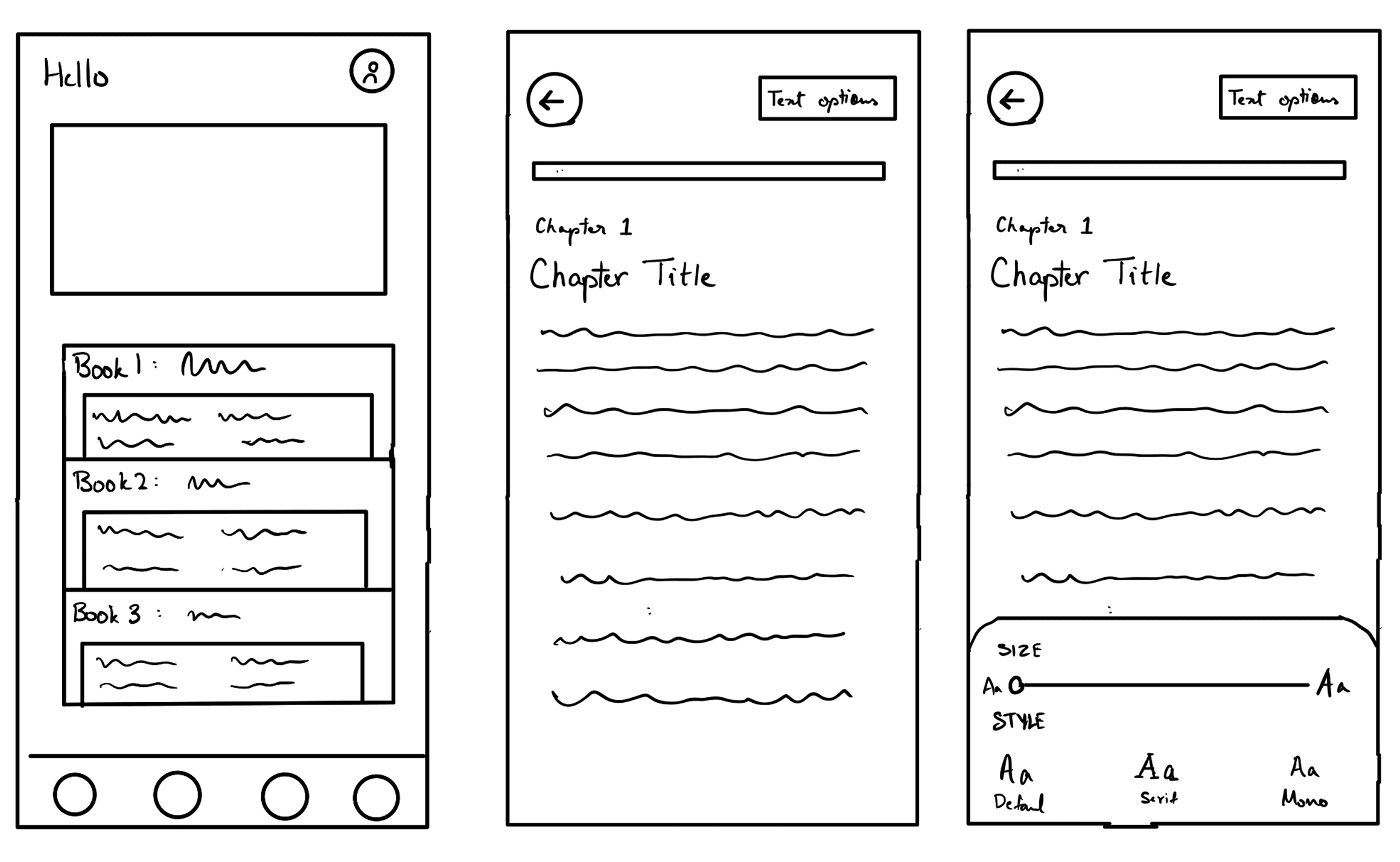
One of the initial ideas was to use quotes in the dashboard and allow users to preview parts of the book where they left off
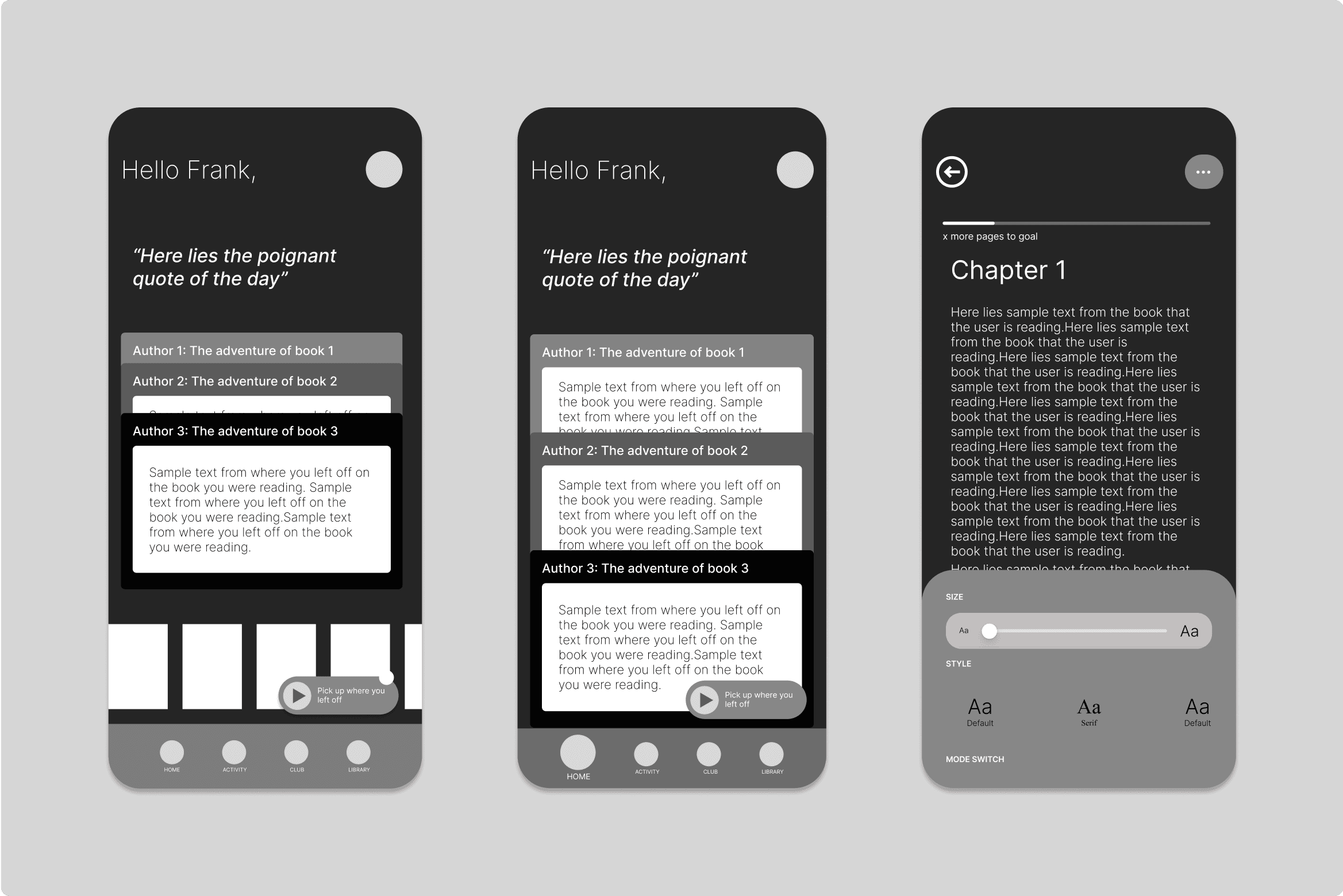
Inspired by the Apple Wallet, these preview cards allowed the user to view parts from the book where they left off and easily jump back in.
Feedback from usability testing
However, usability testing with the mid-fi wireframes helped us realize that this interface increased cognitive load and felt cluttered.
We wanted our app to be minimal and reduce cognitive strain. Not overwhelm users with a lot of text from the get-go.
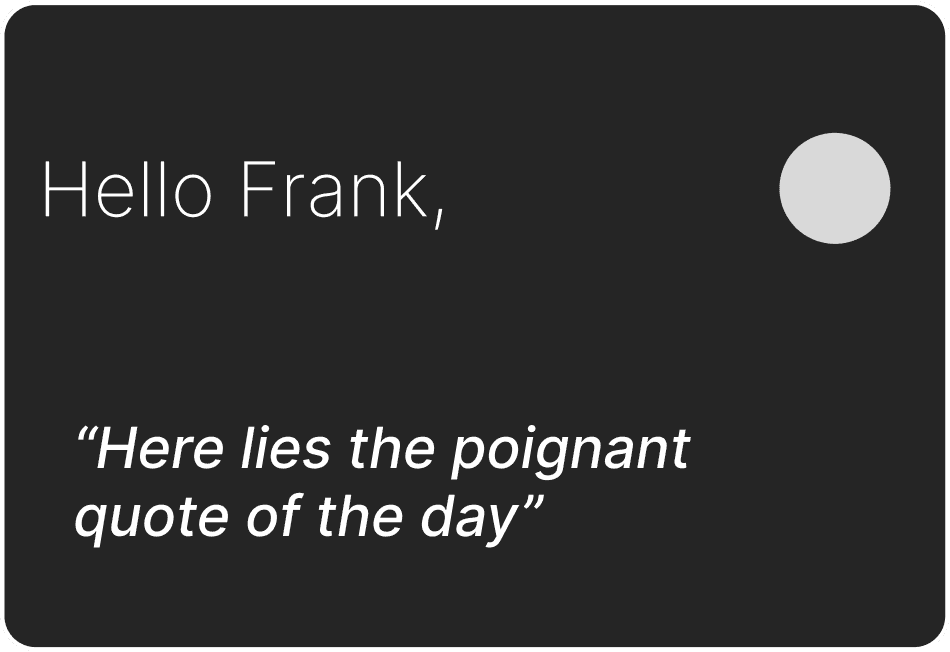
The idea of having a quote at the top of the dashboard was also discarded as it occupied too much space and didn’t help readers jump back into reading.
2nd Iteration
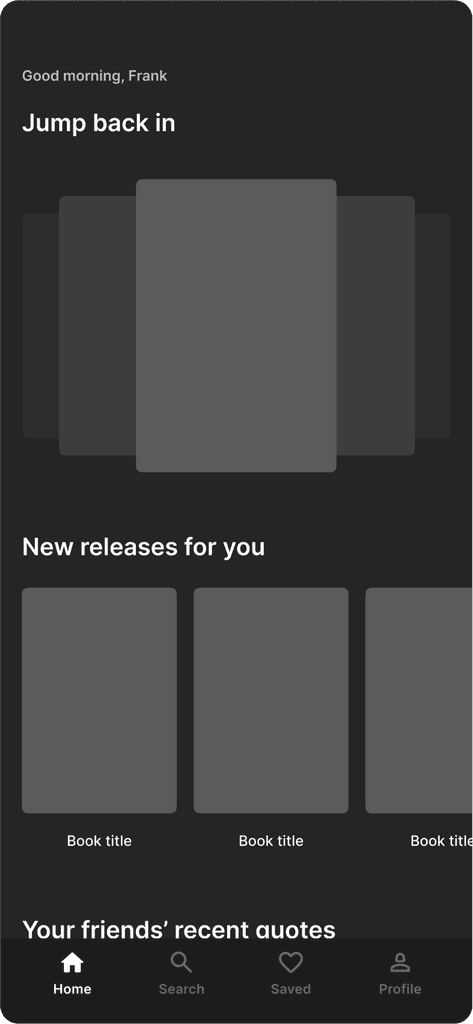
The new iteration of the dashboard featured much less text and let the book covers take the spotlight. The quotes were moved to the bottom, away from initial view so that the focus was on jumping back into reading or picking up a new book.
Reflection
I had 3 main takeaways from my experience with designing Gänder …

When In Doubt, Test
Usability testing using the mid-fi wireframes helped us design iteratively, clarifying our doubts and adding dimension to our decision making

Going Broad to Go Narrow
By deferring “Club” and friend-sharing functions I was able to streamline the features of the app and focus on innovating the reading experience

Pick Features Around User Concerns
My insights from user research, drove every decision, leading to features that made sense and not just sounded cool